
Defying Digital Gravity: How We Built the World’s Smoothest Website

I. The Premise: "Make It Feel Expensive"
In the digital world, "luxury" isn't about gold gradients or serif fonts. Luxury is physics.
When you open a door in a Mercedes, there is a specific, weighted resistance in the hinge. It feels heavy, yet it moves effortlessly. That feeling is what we wanted for Layers.
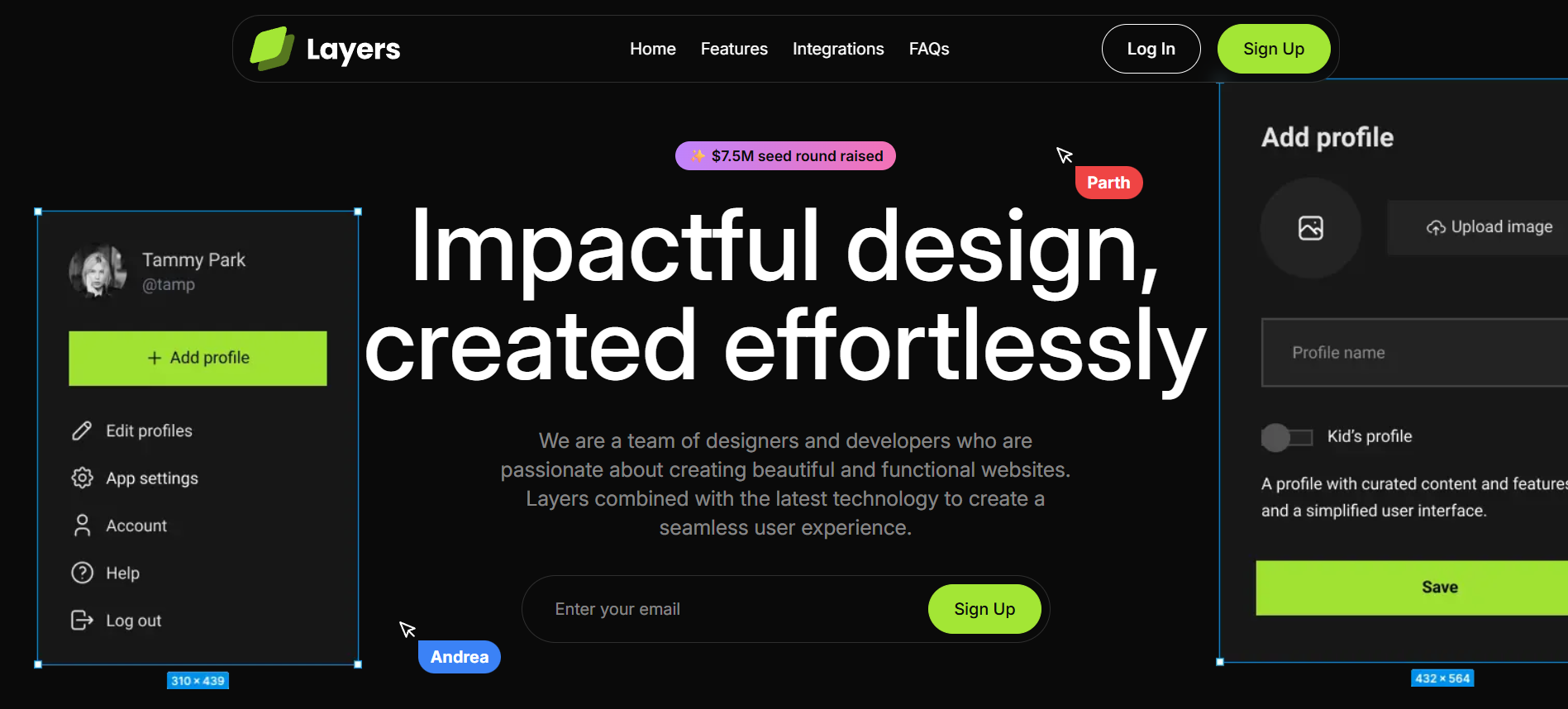
The brief was audacious: Build a landing page that feels like a physical object made of glass and light.
We didn't want users to just scroll a webpage; we wanted them to navigate a pressurized environment. We wanted depth. We wanted blur. We wanted the UI to react to the cursor like a magnetic field. We wanted to build the "Ferrari of Landing Pages."
So, we did what every ambitious dev team does: we reached for the most powerful tools in the shed. And that’s exactly where we went wrong.

II. The "Frankenstein" Phase: A Beautiful Disaster
We started development with a "more is better" mentality. If we want smooth animations, we need GSAP. If we want 3D depth, we need Three.js. If we want luxury scrolling, we need Locomotive Scroll.
By Day 14, we had built a masterpiece. It looked incredible... as long as you didn't touch it.
The "15 FPS" Reality Check
The moment we deployed the staging link, the dream collapsed. On a $3,000 MacBook Pro, the fans spun up like jet engines within 30 seconds. On a mid-range laptop? It was a slideshow.
The issue wasn't the code quality; it was congestion.
- The Clash: We had GSAP timelines fighting Three.js render loops for control of the Main Thread.
- The Bottleneck: The browser was trying to calculate complex blur filters and 3D transforms on the CPU every single millisecond.
- The Experience: Scrolling felt "sticky." The cursor lagged behind the hand. The "premium" feel we promised was dead on arrival.
We were sitting in a dark room at 2:00 AM, looking at a beautiful website that ran at a pathetic 15 frames per second. It was unusable. We hadn't built a Ferrari; we had built a tank with a lawnmower engine.
III. The Diagnosis: The "Main Thread" Traffic Jam
We needed to understand why the browser was choking. We fired up the Chrome Performance Profiler, and the timeline was a sea of red.
The Culprit: Layout Thrashing.
Every time we animated a pixel using standard JavaScript loops, we were forcing the browser to re-calculate the geometry of the entire page (Reflow) and then re-paint every pixel (Repaint). We were asking the browser to do heavy algebra while it was trying to paint a masterpiece. It simply couldn't keep up.
We realized that optimizing the existing code wouldn't work. We couldn't just "tweak" a sinking ship. We needed a new boat.
IV. The Pivot: The "Great Purge"
On a Tuesday night, fueled by caffeine and frustration, we made the call. The Nuclear Option.
We opened the terminal and typed:
npm uninstall gsap three locomotive-scrollWe deleted weeks of work. It was terrifying, but necessary. We decided to strip the engine down to the metal. Our new philosophy was simple: "If the GPU can't do it, we aren't doing it."
We stopped trying to animate the DOM. We started trying to accelerate it.
V. The Solution: The "Zero-G" Architecture
We rebuilt Layers from scratch with a "Thin-Logic" stack.
1. The Core: Next.js 15 + React Server Components
We used Next.js 15 not just for SEO, but for payload hygiene. By using Server Components, we ensured that the heavy logic stayed on the server. The client (the user's browser) only received the bare minimum JavaScript needed to render the frame.
2. The Engine: Framer Motion (The "Physics" Approach)
This was the game-changer. Standard animation libraries use Timelines (move from A to B in 2 seconds). This feels robotic.
We switched to Spring Physics.
Instead of telling an element where to go, we gave it physical properties: Mass, Stiffness, and Damping.
- The Result: When you stop scrolling, the page doesn't just halt. It "settles." It carries momentum, drifting slightly before coming to a soft stop, just like a heavy object sliding on ice. This subconscious cue tells the user's brain: "This object has weight. This object is real."

3. The Secret Weapon: GPU Offloading
We moved the heavy lifting from the CPU to the Graphics Processing Unit (GPU).
- Hardware Acceleration: We forced the browser to promote every "card" and "glass layer" to its own compositor layer using CSS transforms (
translate3d). - The Impact: Now, the CPU was free to listen to user input, while the GPU handled the heavy pixels. The lag vanished instantly.
VI. The "Twisted Reality" Features
With the performance bottleneck gone, we could finally add the "magic"—the features that bluff the user's senses.
Feature A: The "Sentient" Cursor
We didn't settle for the standard arrow pointer—that’s a dead pixel. We built a Custom Cursor with Inertia.
It’s not just a tracker; it’s a digital extension of your hand. We added a microscopic drag delay to the trailing dot, creating a "fluid" sensation.
- The Bluff: It feels like the cursor is moving through water rather than air. It creates an instant, subconscious bond between the user's hand and the interface. It turns "pointing" into "touching."
Feature B: The "Narrative Spotlight" (Text Reveal)
We realized that users don't read websites; they scan them. So, we forced them to focus.
We implemented a Scroll-Triggered Text Highlight. As you scroll down, the text doesn't just appear—it "ignites."
- The Twist: We synced the opacity change to the exact optical center of the viewport. The text lights up
whiteonly when it is directly in your line of sight, and fades togreywhen it leaves. It’s not just an animation; it’s a Focus Hack that guides the eye like a laser.

VII. The Outcome: Digital Silk
The final build of Layers didn't just pass the tests; it crushed them.
- Lighthouse Performance Score: 99/100 (Up from 42).
- Frame Rate: A locked 120fps on ProMotion displays.
- The "Feel": Uncomfortably smooth.
We launched the site, and the feedback was immediate. Users weren't talking about the content; they were talking about the feel.
"I've been scrolling up and down for 5 minutes just to watch the cards settle. What tech stack is this?"
VIII. Conclusion: The Art of the Bluff
Layers taught us that the "best" animation isn't the one with the most code. It's the one that respects the medium.
By stripping away the bloat and respecting the browser's physics, we created an illusion. We bluffed the user into thinking they were holding a physical object. We turned a lagging, overheated nightmare into a "Zero-G" digital playground.
We didn't just fix the lag. We engineered a feeling. And in the end, that's what makes a product "hooky"—not the code you write, but the friction you remove.