Project Overview
Postpilot began as a small Chrome extension. We hoped it would bring a few people to our website, but using it showed us a bigger opportunity. The hardest part was not opening the tool. It was getting a post into shape.
We kept seeing the same routine on LinkedIn, X, and YouTube Studio. We would start a post, open an AI chat in another tab, paste in the draft, ask for a rewrite, then copy it back and adjust the tone. Each platform called for a different kind of writing, so the first answer rarely fit. A quick edit had turned into a string of small, distracting steps.
We decided the help should live where the writing happens. The side panel recognizes the active platform, offers a short set of relevant actions, and streams a draft while the composer remains in view. We added five free generations each month so people can try the workflow, with Pro available when they need more.
The old routine took the draft to another tab. Postpilot keeps the writing and its tools together beside the composer.
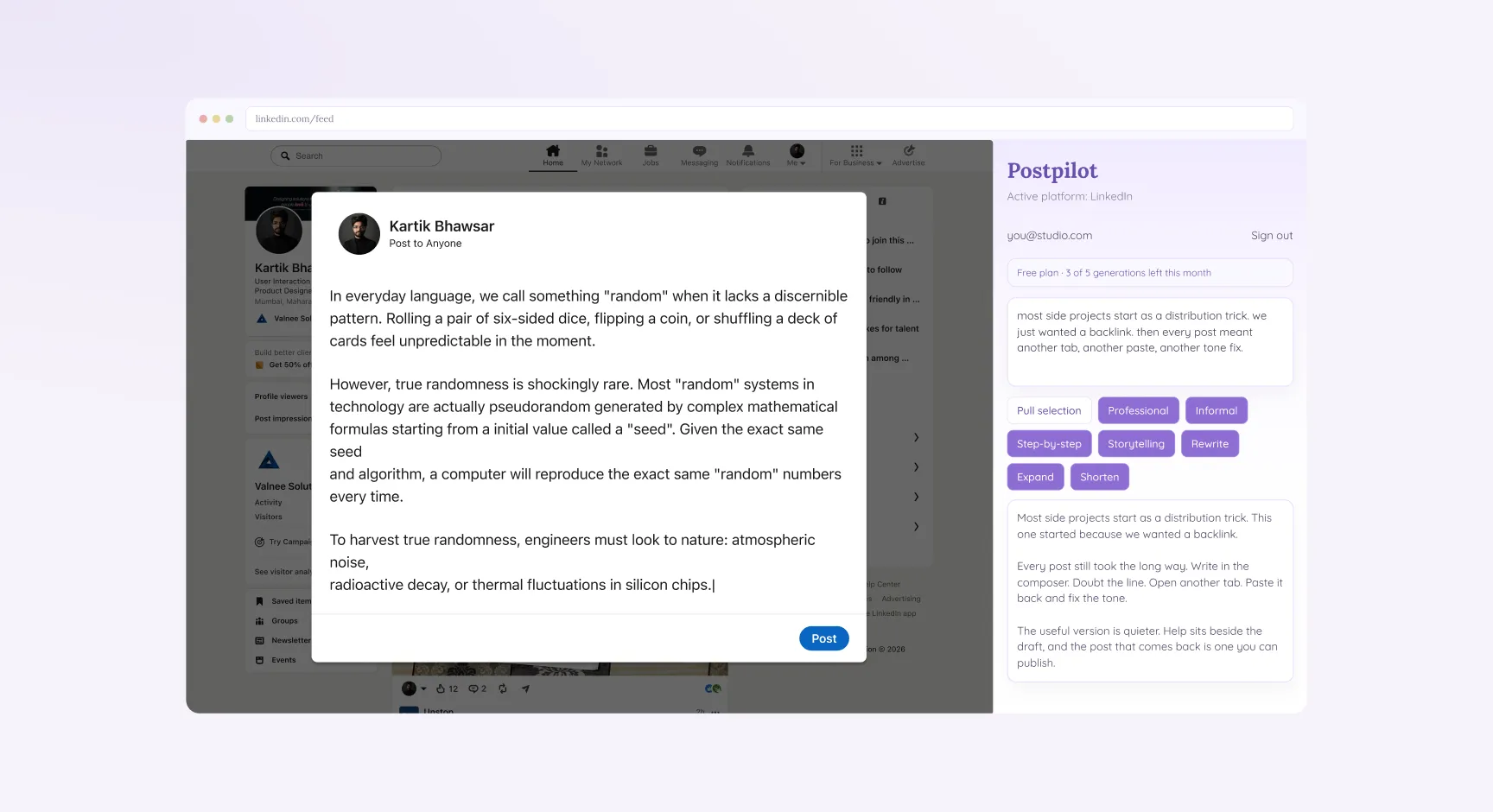
TL;DR
The old routine got the job done, but it asked us to carry each draft between tabs.
As we developed Postpilot, we kept the draft beside the composer, tailored the actions to each platform, and let the result appear as it was written. We also made the monthly allowance easy to see.
That gave creators a simpler way to turn a rough thought into a post they can use.
Understanding the Product
Product Purpose
What does it do?
Postpilot adds a writing panel to LinkedIn, X, and YouTube Studio, so creators can work on a post without leaving the page.
Why does it exist?
We built it to cut down on the repeated copying and pasting between a social composer and an AI chat.
What is its core value?
It helps turn a rough draft into a post that suits its platform, with the composer still in view.
Defining the Goals
Business Goal
Give people a useful first experience and a reason to return. The panel shows the five free generations included each month, and Pro offers more when they reach the limit.
User Goal
Help creators shape an early idea into a post that fits the platform, without spending time fixing the tone afterward.
Product Goal
Keep the platform, writing actions, and draft together in one workspace beside the composer.
Research
We explored the experience by:
- Writing and revising real posts for LinkedIn, X, and YouTube Studio
- Studying each platform composer and how an extension could work alongside it
- Looking for places where the experience could break, such as late-loading composers or page elements that change
This hands-on review helped us focus on the most frustrating part of the routine: leaving the composer, repeating work, and trying to make a generic rewrite fit the platform.
Key Findings
01 — Help in Another Tab
The composer and the AI chat were separate. Even a small change meant copying the draft out and pasting the result back in.
02 — Each Platform Needed Its Own Voice
One generic rewrite did not work everywhere. LinkedIn posts often needed more structure, posts on X needed to be concise, and YouTube descriptions needed room to explain.
03 — Waiting Made It Hard to Try Again
When the full answer arrived at once, it felt like a finished result. If it was only almost right, asking for another version meant waiting again in a different tab.
04 — Too Many Steps Between Draft and Post
Writing, switching tabs, prompting, waiting, copying, and adjusting the tone had become a process of its own, separate from the post.
We organized the extension around the steps we followed to finish a post:
Recognize the platform → Bring in the draft → Choose an action → Review the result → Publish
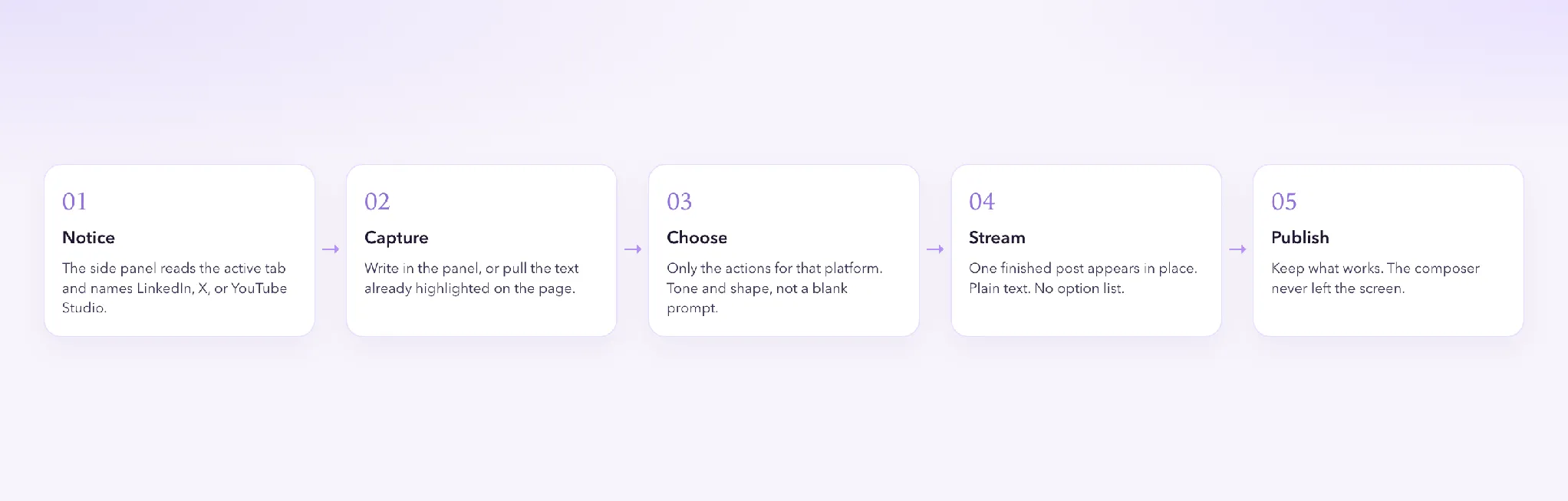
That sequence became the backbone of the panel, from recognizing the platform to reviewing the finished draft.
1. Side Panel: Write Beside the Composer
The side panel became the main workspace. It opens beside the current page, keeping the composer and draft visible together. A small popup lets people sign in with Google or open the panel.
2. Platform Context: Know Where the Post Will Go
The panel checks the active tab and identifies LinkedIn, X, or YouTube Studio. That context determines the label and actions it shows. If the page is not supported, the panel says so instead of guessing.
3. Actions: Keep the Choices Relevant
Each platform has a focused set of actions. LinkedIn includes Professional, Informal, Step-by-step, Storytelling, Rewrite, Expand, and Shorten. X keeps it to Casual, Rewrite, and Shorten. YouTube Studio offers Expand, Rewrite, and Professional.
We also added a small toolbar for selected text in the composer. It offers Rewrite, Shorten, Expand, Professional, and Casual for quick edits, with Undo available if a replacement is not right.
4. Pull Selection: Reuse What You Have Written
Pull selection brings highlighted text from the page into the draft field. There is no need to type the same paragraph again.
5. Streaming Output: Review as It Appears
The draft appears in the panel as it is generated. We kept the response to one plain text post, without extra options or commentary. Creators can review it while the original composer remains open.
6. Usage: See What Is Left
Free accounts include five generations each month, and the panel shows how many remain. When they are used, the panel explains the limit and offers an upgrade to Pro.
Wireframes
Before choosing colors, we sketched the panel in low fidelity. The platform came first, followed by the allowance, draft, actions, and result. This let us check that the layout followed the way people work.
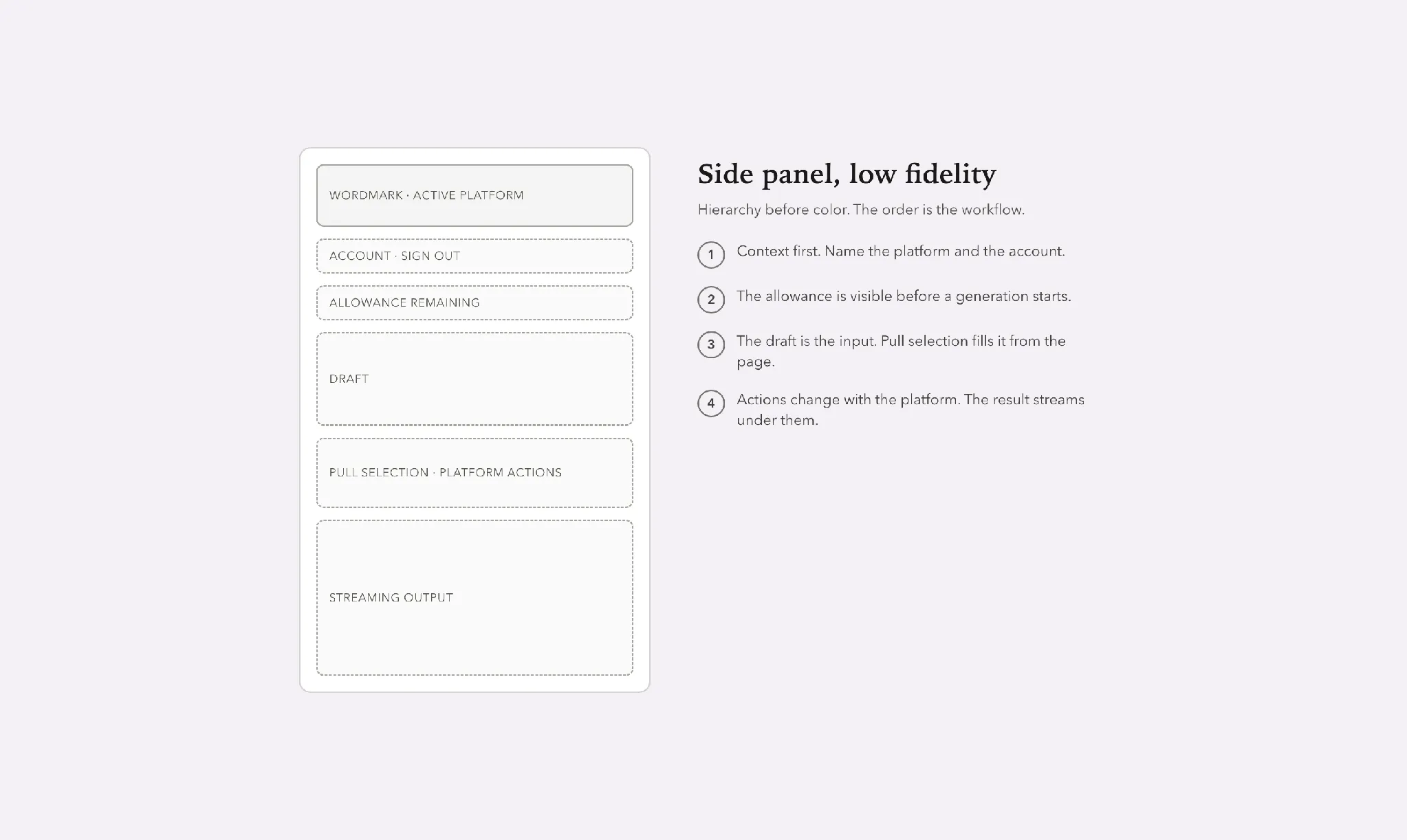
Early side panel sketch showing the order of information before visual design.
Design Decisions
Problem
Our first approach treated every platform the same. That meant creators still had to explain the context in their prompt, adding work to a task we wanted to simplify.
Decision
We made the actions respond to the active tab. LinkedIn gets a broader set, including storytelling and step-by-step formats. X stays concise with casual, rewrite, and shorten. YouTube Studio focuses on expanding, rewriting, and a professional tone for titles and descriptions.
Result
Creators can choose a useful next step directly from the panel. They do not need to explain which platform they are using each time.
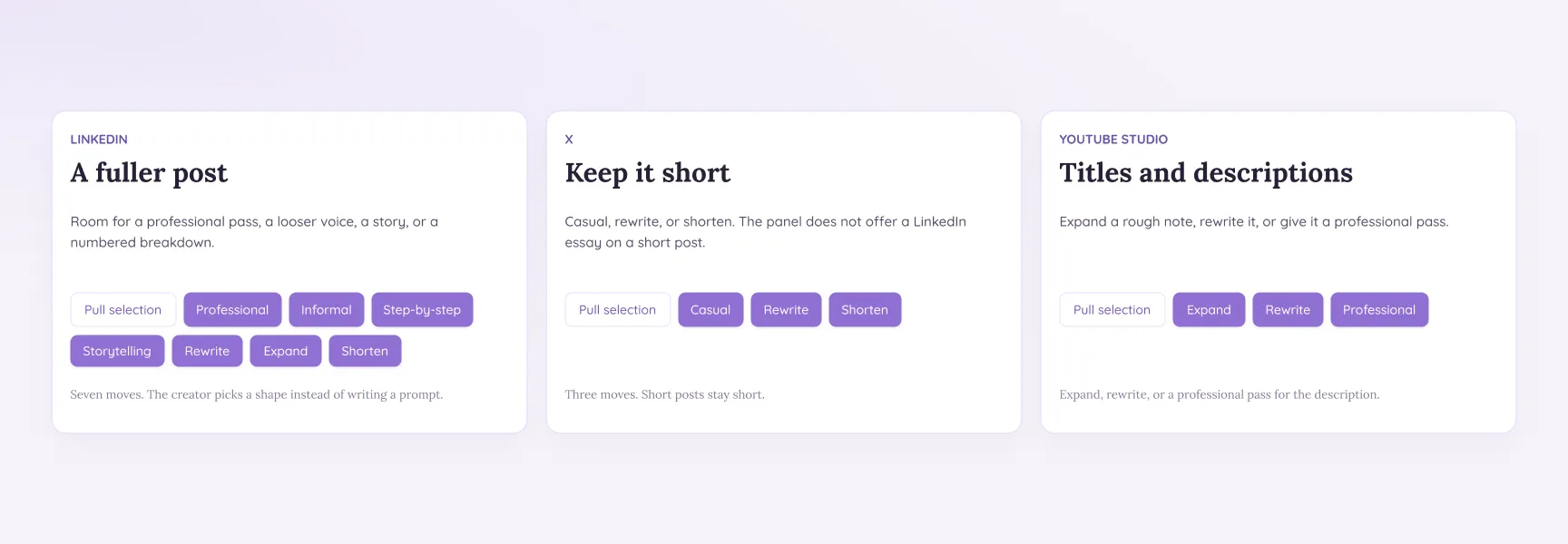
The actions change with the active platform, with more options for LinkedIn and shorter lists for X and YouTube Studio.
02 — Let the Draft Appear in Place
Problem
In the original routine, trying again meant leaving the page and waiting for another answer. It was easy to settle for a draft that was only nearly right.
Decision
We kept the composer open while the draft streamed into the panel. Pull selection brings existing text into the draft, and each request returns one post in plain text.
Drafts can be up to 3,000 characters, giving creators room to write a full post while keeping the result focused.
Result
Because the draft appears as it is generated, creators can review it right away and make another pass without leaving the composer.
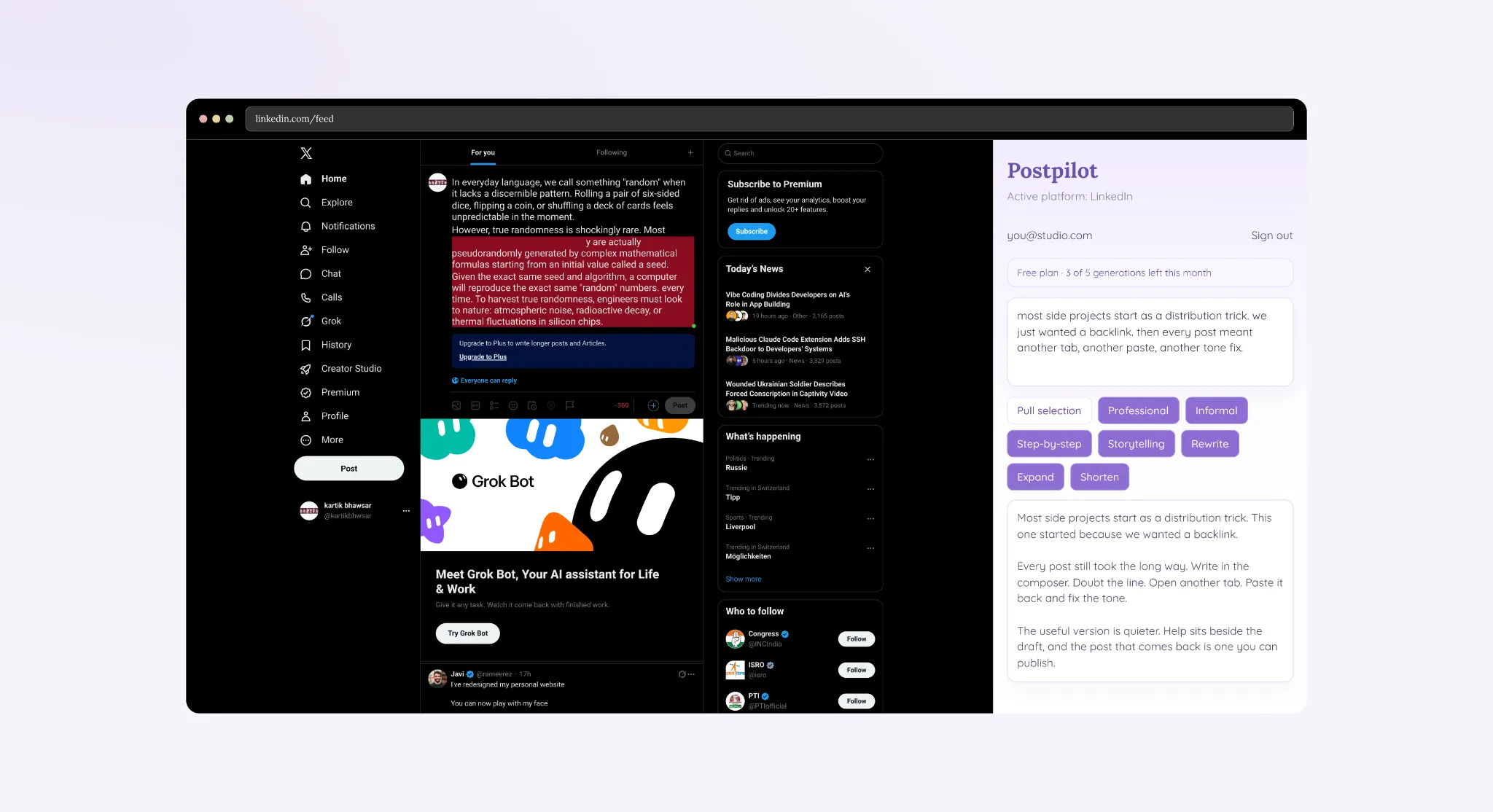
On X, a rewritten draft streams into the panel while the composer stays open.
Visual Design
We kept the visual system simple so Postpilot could sit comfortably beside each platform.
- Color: Uses a violet palette on white, with dark text for drafts and softer tones for supporting details.
- Type: Pairs a serif wordmark with a clear sans serif for the interface.
- Components: Include three button styles, a usage banner, the draft field, and the output area.
- States: Cover sign in, loading, streaming, the free allowance, the usage limit, and Pro.
- Spacing: Is compact for a side panel, with a soft shadow to separate it from the page.
We kept Postpilot's appearance consistent across all three platforms, each of which already has its own visual style.
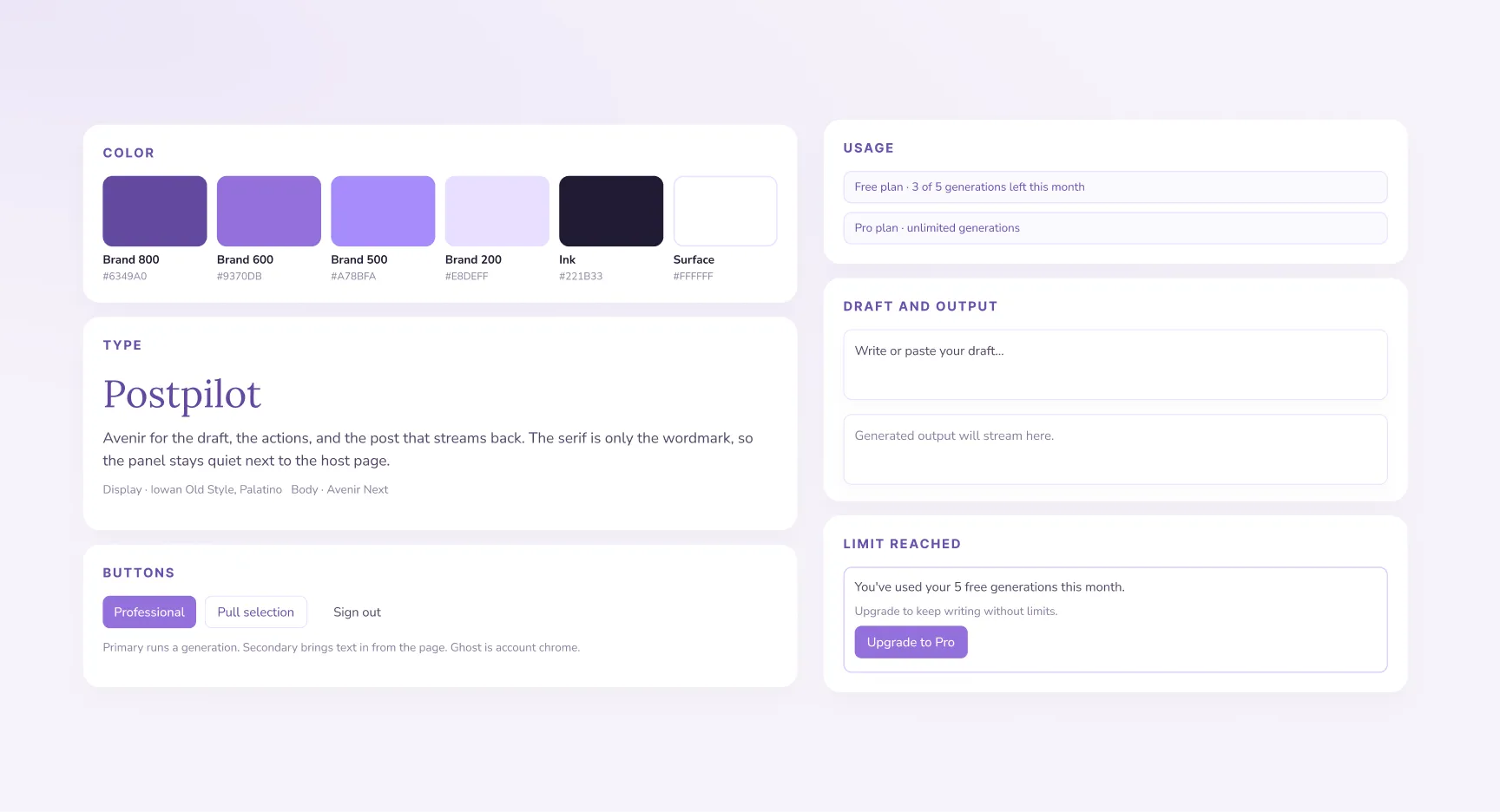
The visual system brings color, type, buttons, and usage states together in a compact panel.
Final Solution
The finished panel brings the platform, draft, writing actions, and generated result into one place.
After signing in with Google, creators see the active platform and remaining allowance. They can write a draft or pull in selected text, then choose an action. The result streams into the panel as one complete post.
When all five free generations have been used, the panel explains the limit and shows the Pro option.
Selecting text in a composer opens the inline toolbar. If a replacement does not work, creators can undo it on the page.
The goal was to make the journey from a rough idea to a usable post feel more direct.
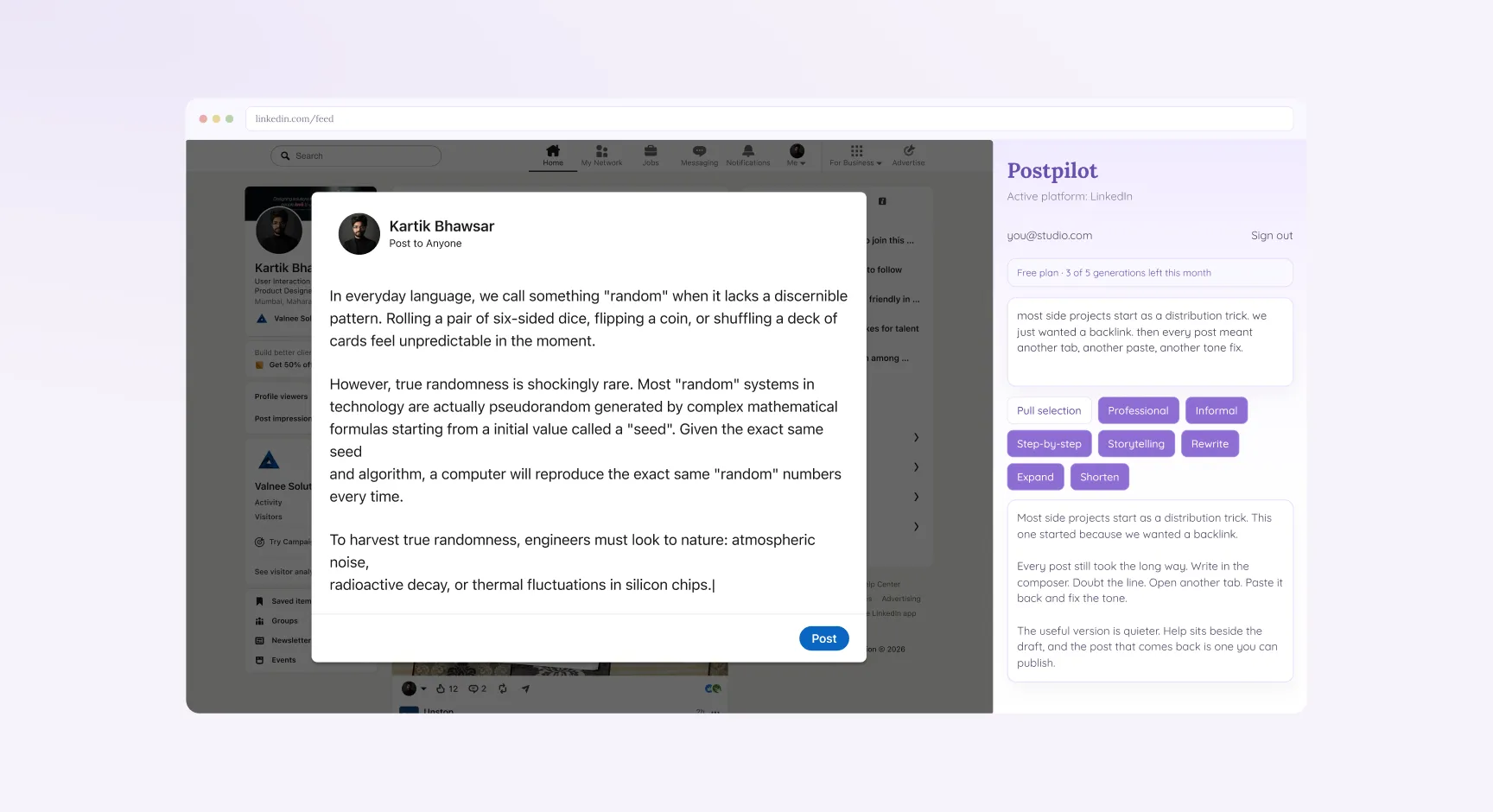
On LinkedIn, a storytelling rewrite appears beside the composer while the original note remains in the draft.
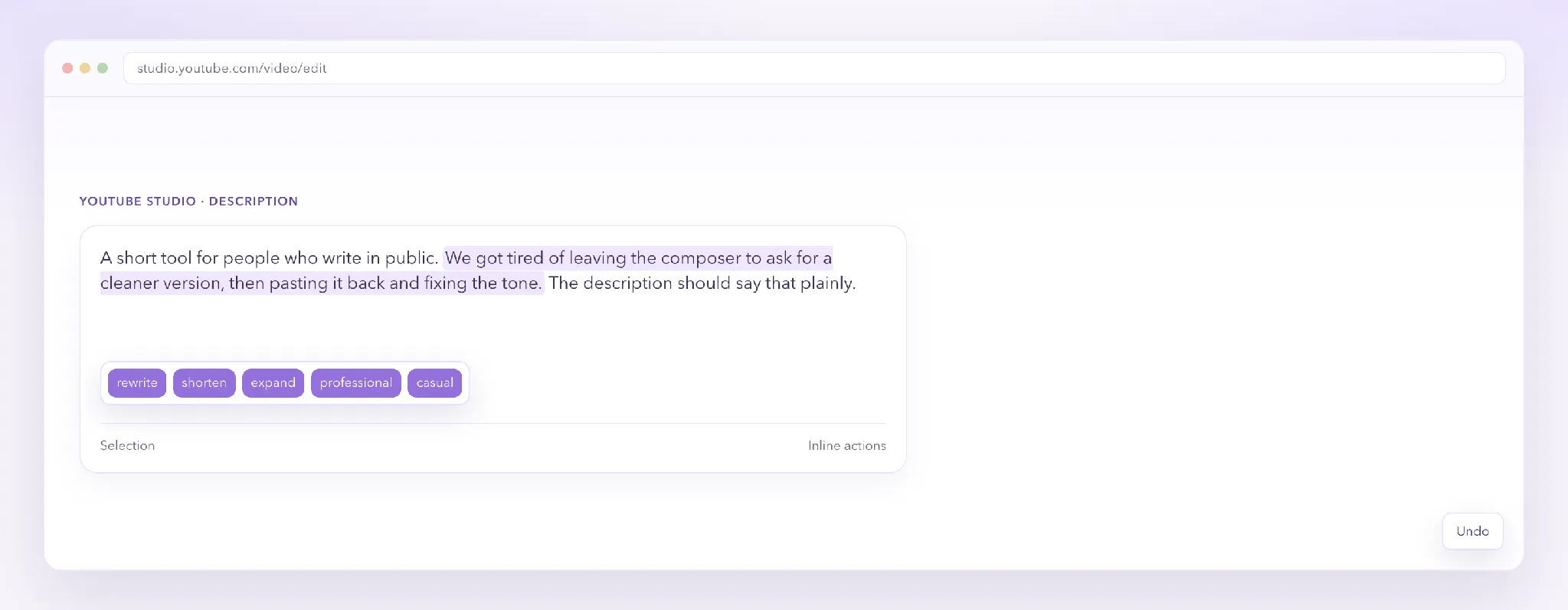
Selecting text in YouTube Studio opens quick actions, with Undo available after a replacement.
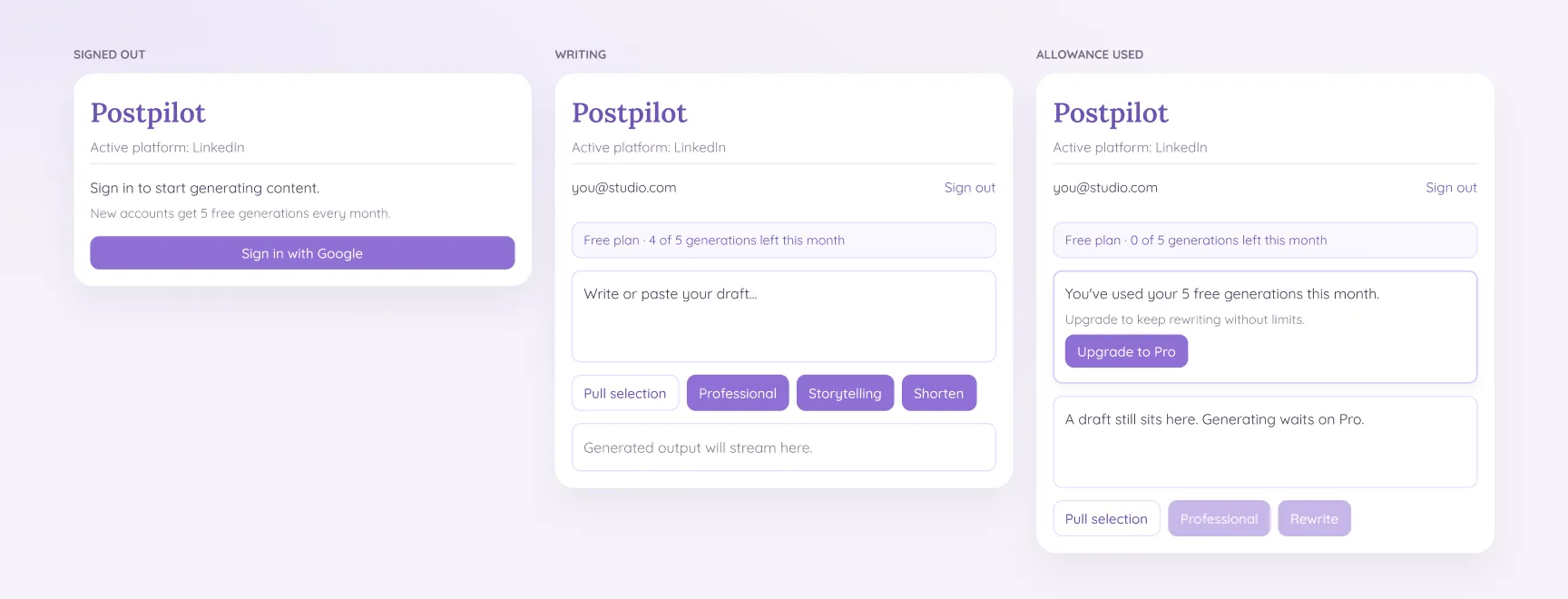
The panel supports three common states: signed out, ready to write, and out of free generations.
Before vs After
| Before | After |
|---|
| Help in a separate AI tab | Help in a side panel beside the composer |
| One generic rewrite | Actions chosen for LinkedIn, X, or YouTube Studio |
| Wait for a full response | A draft that streams in |
| Copy, paste, then repair the tone | Tone and shape are the action |
| Retype text that is already on the page | Pull selection |
| No view of remaining use | 5 free generations shown, then Pro |
Impact
The finished experience centers on three practical improvements to the writing routine:
| 3 | 1 | 5 |
|---|
| Platforms in one copilot | Workspace beside the composer | Free generations each month |
Write Without Leaving the Page
The composer and draft stay visible together, so creators can work without opening a separate AI tab.
LinkedIn, X, and YouTube Studio each have their own actions. The panel responds to the active tab and makes the available choices clear.
From a Small Idea to a Writing Companion
We first built Postpilot as a small tool that might help people find our website. As we used it, we realized the more valuable idea was helping creators with the writing itself.
The first version showed us that writing help could live right in the browser. We built on that idea by bringing the draft, useful actions, and finished post together beside the composer. Postpilot grew from a way to share a link into a writing companion shaped by the way creators already work.

 Valnee
